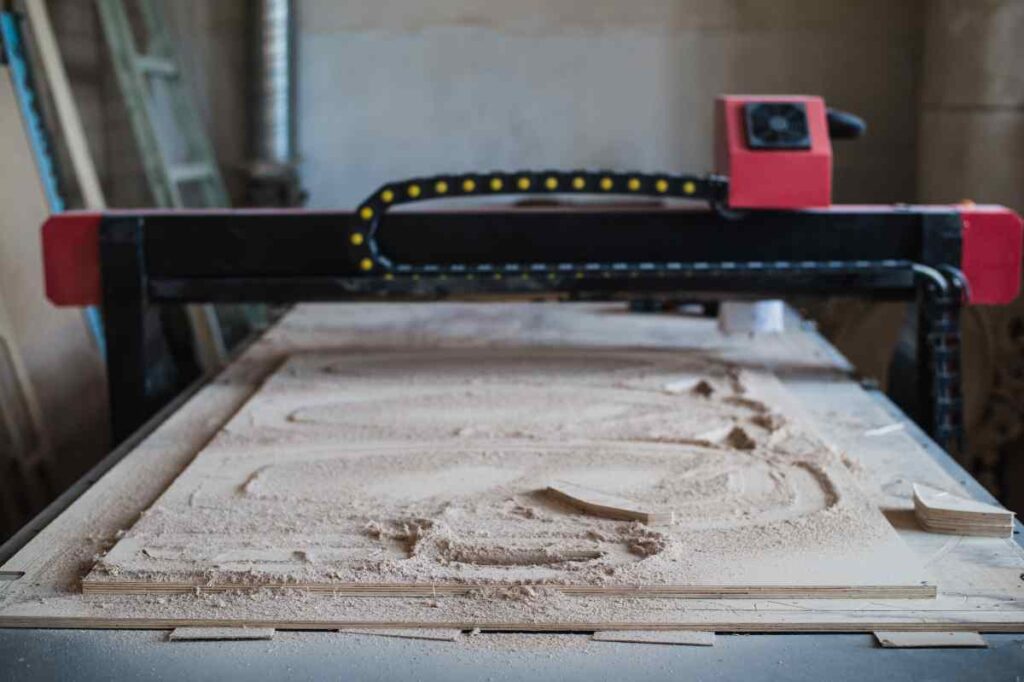
In the realm of craftsmanship and precision engineering, there exists a mesmerizing fusion that elevates artistry to new heights: the mastery of CNC technology in sculpting breathtaking 3D topographical maps. Picture this – intricate landscapes brought to life with meticulous detail and unparalleled accuracy at your fingertips. Embark on a journey where creativity meets cutting-edge technology as we delve into the intricate world of crafting stunning 3D topographical maps with impeccable precision, demystifying the process step by step. Imagine harnessing the power of computer numerical control (CNC) to transform raw materials into captivating 3D landscapes that seem to leap off the surface with realism. With a blend of artistry and technical prowess, this blog post will guide you through the intricate process of creating awe-inspiring topographical maps using CNC technology. Unravel the secrets of design intricacies, toolpath strategies, and material selection as you unlock the key to mastering the art of how to create a 3D topographical map on a CNC, paving the way for boundless creativity and precision in your craft.
Understanding CNC Technology and its Applications in Craftsmanship
CNC technology is a revolutionary method that has transformed the world of craftsmanship. It involves the use of computer software to control and manipulate tools and machinery, resulting in precise and intricate designs. In the context of crafting stunning 3D topographical maps, CNC technology plays a pivotal role in bringing imagination to life. By utilizing CNC technology, artisans can create intricate landscapes with unparalleled accuracy. The process involves feeding digital designs into specialized software that controls the movement of cutting tools on a CNC machine. This allows for precise carving and shaping of materials, resulting in stunningly detailed topographical maps. The applications of CNC technology in craftsmanship extend far beyond topographical map creation. From woodworking to metalworking and everything in between, CNC machines have revolutionized the way artisans approach their craft. The ability to translate digital designs into physical objects with utmost precision has opened up new avenues for creativity and innovation.
Exploring the World of Topographical Maps: An Overview
Before diving into the intricacies of crafting 3D topographical maps using CNC technology, it’s essential to understand what exactly these maps entail. Topographical maps are representations of a specific area’s physical features, such as mountains, valleys, rivers, and elevation changes. Traditionally, creating topographical maps required painstaking manual labor and artistic skill. However, with advancements in technology like CNC machines, artisans can now produce highly accurate and visually stunning representations of landscapes. A key aspect of creating topographical maps is understanding contour lines. These lines represent changes in elevation on a map and are crucial for achieving realistic terrain features. By analyzing contour lines from various sources like satellite data or surveying measurements, artisans can recreate landscapes with astonishing accuracy.
Selecting the Right Materials for Precision Mapping
When it comes to crafting 3D topographical maps, selecting the right materials is paramount. The choice of material can greatly impact the final result, both in terms of aesthetics and durability. One commonly used material for CNC topographical map creation is wood. Wood offers a natural and warm aesthetic, making it ideal for capturing the beauty of landscapes. Hardwoods like oak or walnut are often preferred due to their durability and ability to hold intricate details. For those seeking a more contemporary look, acrylic or plastic materials can be used — and even foam. These materials offer versatility in terms of color options and can be easily shaped using CNC machines. Regardless of the chosen material, it’s important to consider its thickness and stability. Thicker materials provide more depth for carving intricate details, while stable materials ensure accurate and consistent results throughout the carving process.
Design Principles and Software Tools for Crafting Detailed Landscapes
To create stunning 3D topographical maps, artisans must master design principles that bring landscapes to life. Understanding composition, perspective, and balance is crucial in achieving visually appealing results. When it comes to software tools, there are various options available that cater specifically to CNC machining. These software programs allow artisans to import digital designs, manipulate them as needed, and generate toolpaths that guide the CNC machine’s movements. A popular software tool used in CNC machining is Autodesk Fusion 360. This powerful program offers a range of features tailored toward precision engineering and enables artisans to create intricate designs with ease.
Mastering Toolpath Strategies for Achieving Realistic Terrain Features
The toolpath strategy employed during CNC machining plays a vital role in creating realistic terrain features on topographical maps. By carefully planning the toolpaths, artisans can achieve varying depths and textures, mimicking the natural contours of landscapes. One commonly used toolpath strategy is the parallel strategy. This involves carving parallel lines across the material’s surface, gradually increasing or decreasing the depth to create elevation changes. By adjusting the spacing between these lines, artisans can control the level of detail and smoothness of the final map. Another toolpath strategy is called raster carving. This technique involves carving horizontal lines across the material’s surface, similar to how a printer operates. Raster carving is particularly effective for capturing fine details and creating intricate textures.
Troubleshooting Common Challenges in Topographical Map Creation
While CNC technology offers immense possibilities for crafting stunning topographical maps, it also presents its fair share of challenges. Understanding and troubleshooting these challenges is crucial for achieving optimal results. One common challenge is material tear-out or chipping during the carving process. This can occur when using certain materials or when incorrect cutting speeds are employed. Adjusting cutting parameters and using appropriate cutting tools can help mitigate this issue. Another challenge artisans may face is achieving smooth transitions between different elevation levels on a map. This requires careful planning of toolpaths and ensuring proper depth adjustments at each stage of carving.
Enhancing Your Craft: Finishing Techniques and Surface Treatments
To truly elevate your craft and bring out the full potential of your topographical maps, employing appropriate finishing techniques and surface treatments is essential. Sanding plays a crucial role in achieving a smooth surface finish on carved maps. Starting with coarse-grit sandpaper and gradually progressing to finer grits helps remove any rough edges or imperfections left behind by CNC machining. Once sanded, applying a protective finish such as varnish or lacquer not only enhances the visual appeal but also safeguards the map from wear and tear. It’s important to choose a finish that complements the chosen material and desired aesthetic.
Elevate Your Craft with Precision and Creativity
Mastering the art of crafting stunning 3D topographical maps using CNC technology requires a blend of precision, creativity, and technical know-how. By understanding the intricacies of CNC technology, selecting suitable materials, mastering design principles, and employing effective toolpath strategies, artisans can unlock boundless possibilities in their craft. With each meticulously carved landscape, you’ll witness your creativity come to life with unparalleled accuracy. So go ahead, embark on this journey of precision craftsmanship and elevate your craft to new heights with CNC technology.